
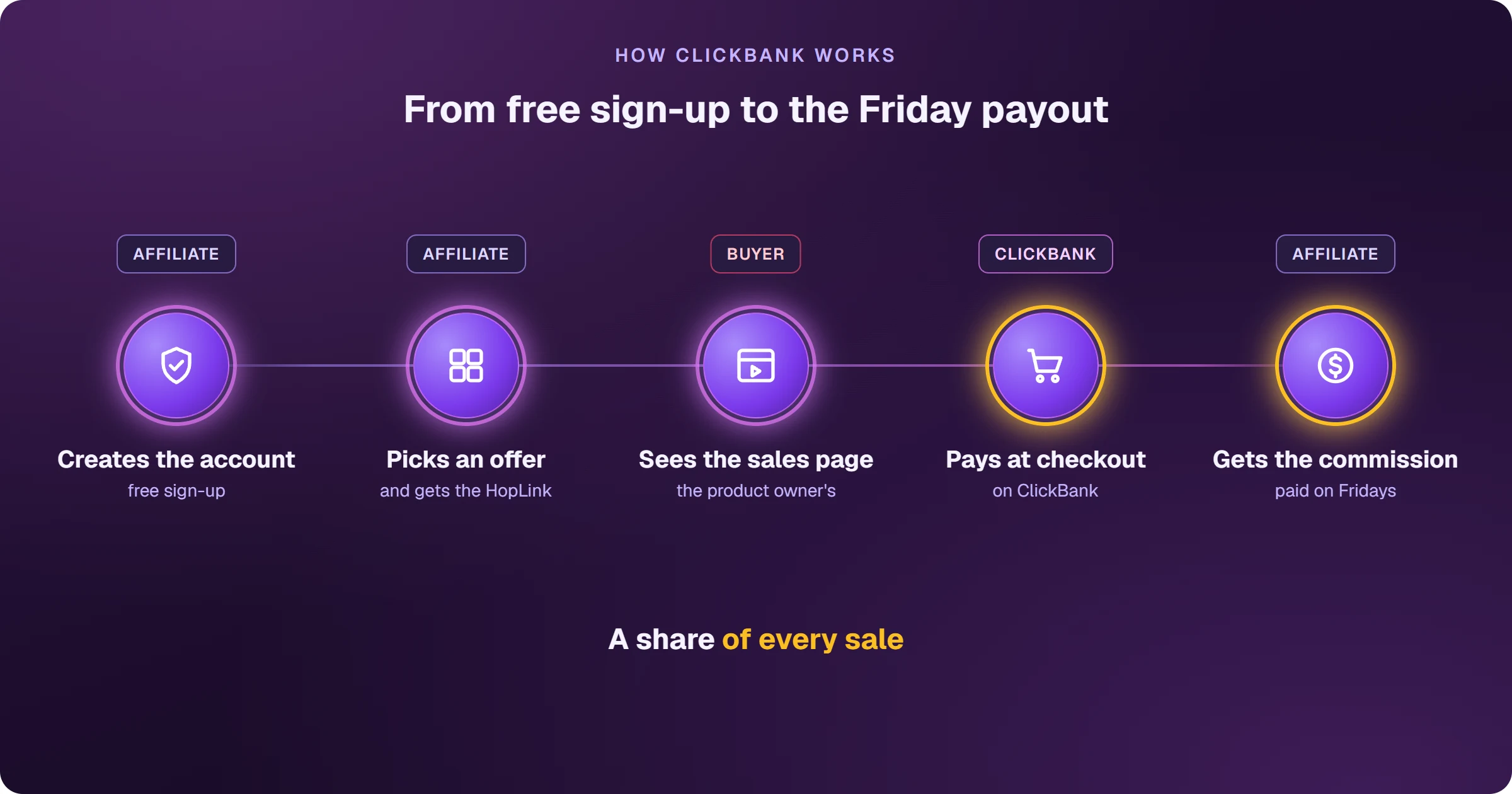
ClickBank is a US affiliate marketplace, online for more than 25 years, with more than 4,000 digital and physical products. Sign-up is free: you pick a product in the marketplace, generate your affiliate link (the HopLink), send traffic to the product owner's sales page and earn a percentage of every sale. ClickBank processes the buyer's payment and pays your commission on Fridays.
The first platform anyone finds when they want to earn in dollars
Whether you're in India, Brazil or anywhere else, ClickBank is usually the first affiliate marketplace you hear about. There's a reason: sign-up is open, the catalog is large and every product comes with a ready sales page. What most beginners are missing is how the money moves — who owns each step, how much stays with you and when it arrives.
How does ClickBank work for affiliates?
- You create a free account and choose a nickname — the name that identifies your sales.
- In the marketplace, you pick a product and click Get Affiliate Link to generate your HopLink.
- You send traffic to the product owner's sales page, through your link.
- The buyer pays in the ClickBank checkout, which processes the sale.
- The commission is credited to your account, and payouts go out on Fridays.

According to ClickBank itself, more than 100,000 affiliates use the marketplace, which has paid out more than $7.3 billion in commissions over 25+ years.
How much do ClickBank affiliates earn?
Each product owner sets their own commission, and it comes in two forms. On most products, it's a percentage of the sale (revenue share) — on some, up to 90%. On others, it's a fixed amount paid only on the first sale of the funnel (CPA). The difference matters on refunds: with revenue share, the commission is reversed if the customer asks for their money back; with CPA, you keep it.
How long is a sale yours?
For 60 days after the click. If the buyer clicks your HopLink and buys within that window, the sale is yours — as long as they don't click another affiliate's link first. ClickBank credits the sale to the last affiliate the buyer clicked.
A HopLink is ClickBank's affiliate link. It combines your nickname, the product owner's nickname and, optionally, tracking parameters — it's how ClickBank knows the sale came from you.
Frequently asked questions
Does ClickBank work in India?
Yes. India is on the sign-up country list, and it's also on ClickBank's international direct deposit list, so you can be paid straight to an Indian bank account — see how to get paid by ClickBank.
Does ClickBank charge affiliates to join?
No. The affiliate account is free; the activation fee is paid by the product owner who lists the product. The step-by-step is in how to create a ClickBank account.
How is ClickBank different from BuyGoods or MaxWeb?
ClickBank has open entry and percentage commissions; BuyGoods and MaxWeb review every application. See BuyGoods vs ClickBank and MaxWeb vs ClickBank.
Planning to promote with Google Ads? The ad needs a page of your own before the sales page, and each sale needs to flow back to your ad platform. See how to sell ClickBank on Google Ads.
Read next
- How to create a ClickBank account without getting declined
- How to choose a ClickBank product: the numbers that matter
- How to get paid by ClickBank: payout days, fees and the first payment
- ClickBank account disabled: why it happens and what to do
- How to sell ClickBank on Google Ads and see every sale
Where do you access ClickBank?
These are the official ClickBank addresses. Check that your browser shows accounts.clickbank.com before typing your password.
Sources
Information checked on October 25, 2026, on the official ClickBank pages below.
- What is ClickBank
- ClickBank affiliates page: products, commissions paid and maximum commission
- Commission types: revenue share and CPA
- HopLinks guide: 60-day window and last click
- Commission on refunded sales
Planning to sell ClickBank products as an affiliate?
The presell comes ready on your domain and leads to the sales page, every sale shows the ad that brought it, and the sale alert reaches your phone.