
You can't install the Google Ads tag on the ClickBank checkout: the order form belongs to ClickBank and the thank-you page belongs to the product owner. A ClickBank sale reaches Google Ads in one of three ways: the old Integrated Sales Reporting (ISR) pixel, which fires in the browser; ClickBank's own Google Ads integration, under Integrations → Postback/Pixels, which sends the sale server to server; or a custom postback to a tracker. The last two work. Both depend on one thing: the Google click ID, the gclid, has to travel from your ad to the HopLink.
The click happens on Google, the sale on ClickBank — and nobody connects them
Your ad account sees the click. ClickBank sees the sale. If nothing carries the sale back, Google Ads shows spend and zero conversions, and Smart Bidding keeps bidding without knowing which keyword, ad or audience bought. You end up judging campaigns by the ClickBank dashboard, which shows the sale but not the ad. That's why "ClickBank tracking pixel" is one of the first things affiliates search for: the tracking isn't a report, it's what lets the account learn.
A tracking pixel is code that runs in the buyer's browser on a checkout or thank-you page. A postback is a notice the platform sends server to server when a sale happens — it needs no code on any page. The gclid is the ID Google adds to the ad's URL when auto-tagging is on; it's how Google Ads matches a sale to the click.
Can you put the Google Ads tag on the ClickBank order form?
No. The affiliate doesn't control any page in the ClickBank purchase flow. The order form is ClickBank's and the thank-you page and upsells are the product owner's. So the Google tag you would normally install on a thank-you page has nowhere to go. ClickBank solves this from its side, sending the sale out to you instead of letting you put code in.
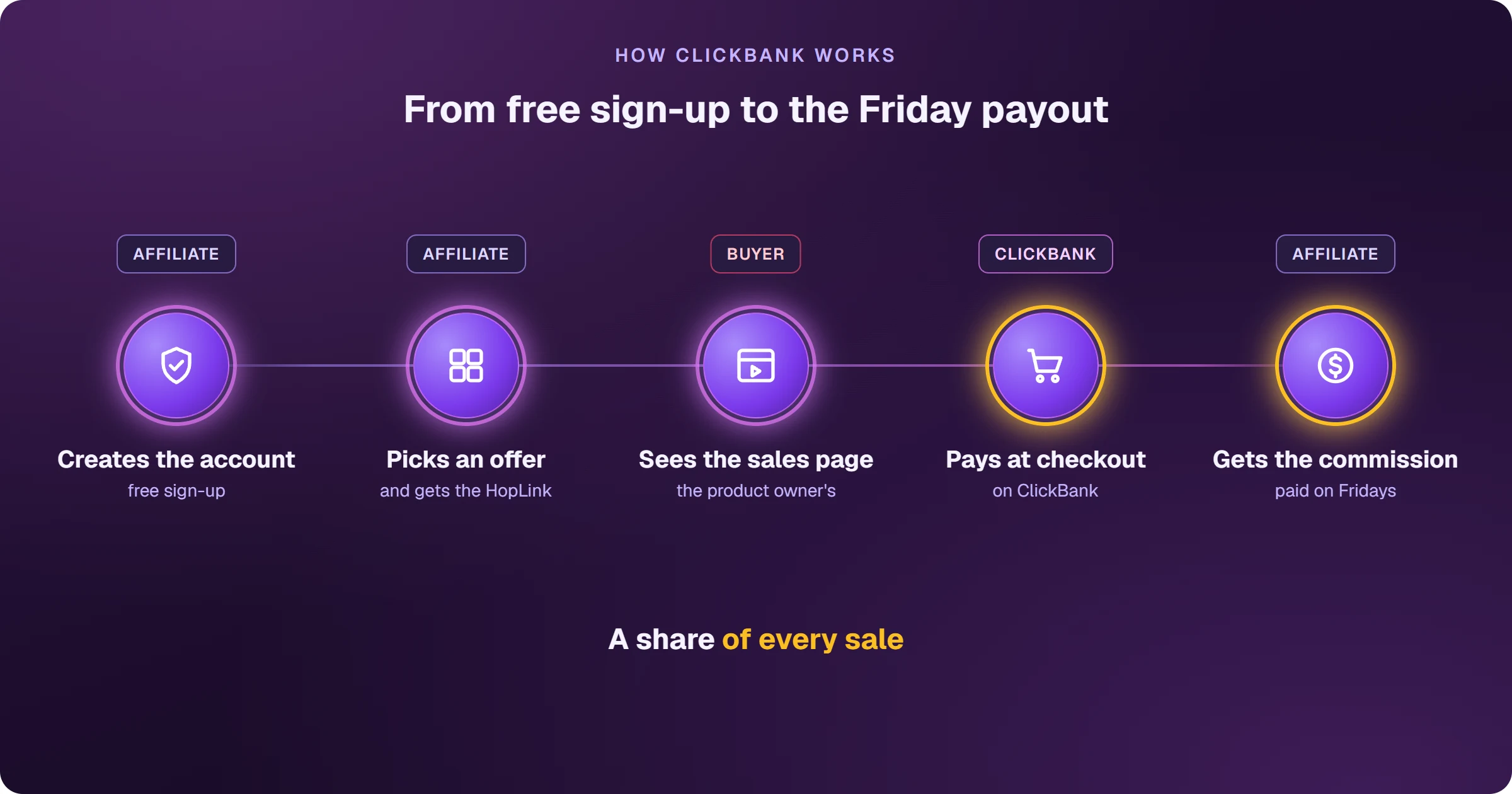
The 3 ways a ClickBank sale reaches Google Ads
1. Integrated Sales Reporting (ISR): the old pixel
ISR is ClickBank's browser-based tracking pixel. ClickBank itself warns that it can under-report conversions that happen on a custom thank-you page or in upsells, and says Postback/Pixels will eventually replace it, with advance notice. It still works, but it's not where to start a new setup.
2. ClickBank's Google Ads integration
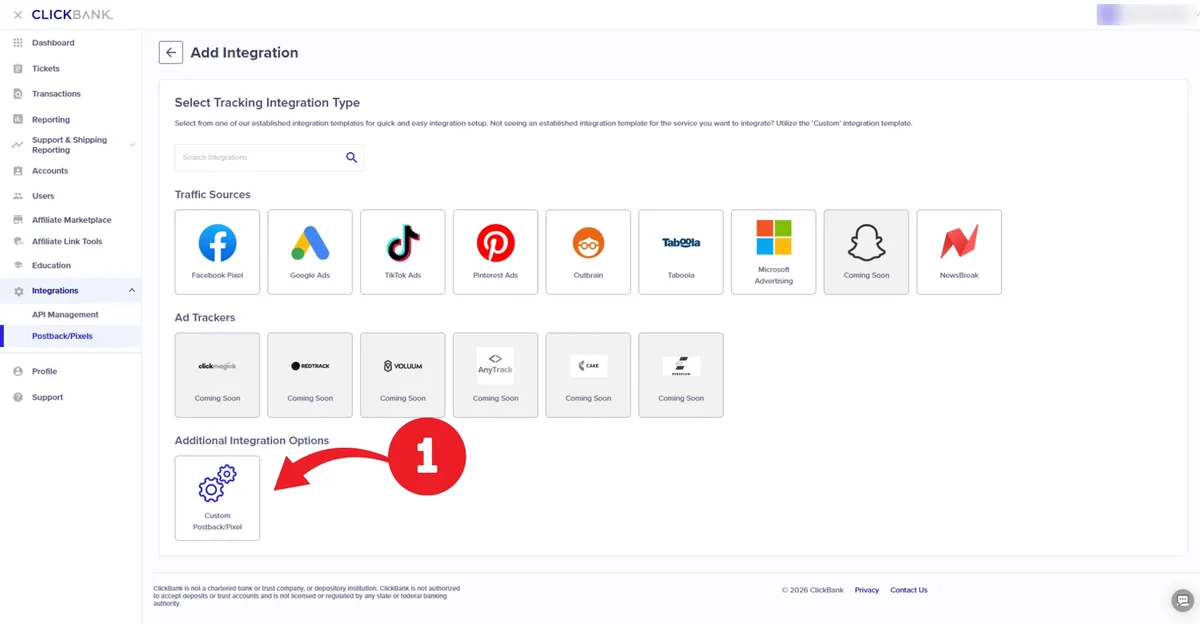
Since January 2025, ClickBank has a native Google Ads integration. In Google Ads you create offline conversion actions (Initial Purchase, Upsell Purchase and Order Form Impression) and turn on auto-tagging. In ClickBank you go to Integrations → Postback/Pixels → Add Integration → Google Ads, sign in with Google, choose the ad account and map each event to a conversion action. ClickBank then sends the sale through Google's API. The catch: every event must carry a gclid, received through the gclid parameter on the HopLink — without it, Google rejects the conversion. And it only serves Google.
3. Custom postback to a tracker
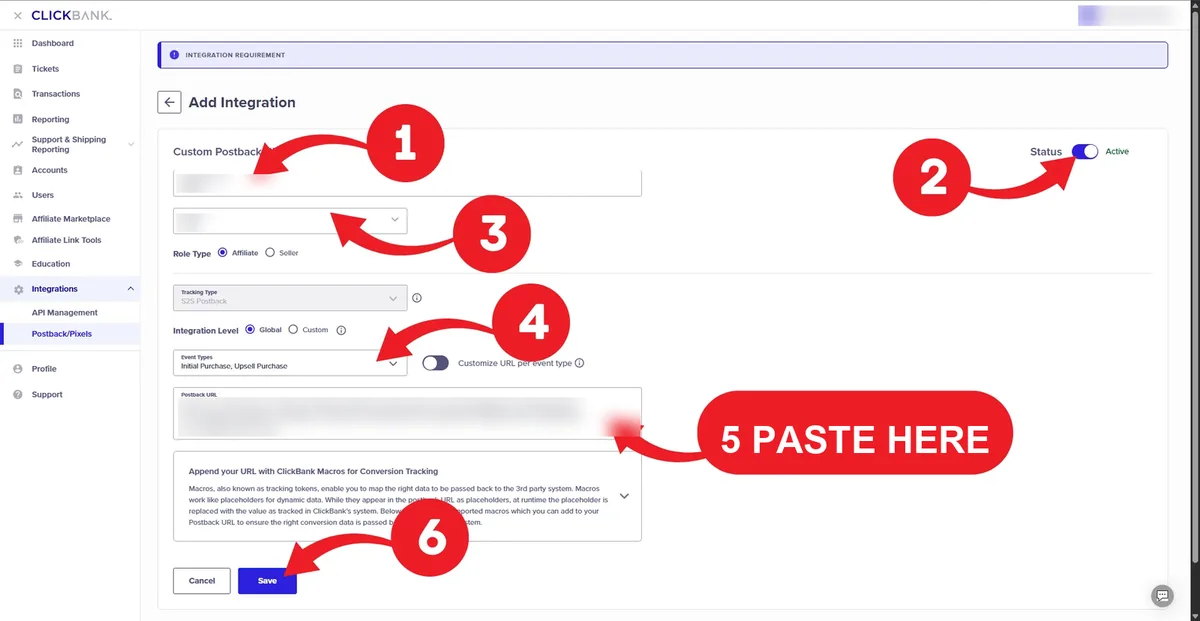
Under the same menu, Custom Postback/Pixel sends each sale (Initial Purchase and Upsell Purchase) to an address you choose, returning the parameters that were on your HopLink: tid, aff_sub1 to aff_sub5, extclid. A tracker that saved the click on your presell receives the notice, finds the click and sends the conversion to Google Ads — and, from the same sale, to Meta, NewsBreak or Taboola.
- ISR pixel — runs in the browser, under-reports custom thank-you pages and upsells, being replaced.
- Native Google Ads integration — server to server, free, but needs the gclid on the HopLink and only sends to Google.
- Custom postback to a tracker — server to server, works with a presell, sends the same sale to more than one ad platform.
- Refunds come through none of these notices: the conversion stays counted in Google Ads.
- Test-card purchases don't fire any of them — confirm with a real sale.
With a presell, the gclid lands on your presell URL, not on the HopLink. If the presell button points to a plain HopLink, the ID is lost on the way and ClickBank receives the sale with nothing to match. Also watch the field size: aff_sub1 to aff_sub5 hold up to 100 characters and ClickBank cuts anything longer. A cut gclid no longer matches any click.
How do you keep the gclid from the ad to the HopLink?
The ID has to be picked up on the presell and passed on in the link the buyer clicks. In practice:
- Turn on auto-tagging in Google Ads (Account settings → Auto-tagging), so every click arrives with a gclid.
- On the presell, read the gclid from the page URL when the visitor arrives.
- Add it to the HopLink in a field ClickBank returns: the gclid parameter, for the native integration, or one of the tracking fields, for a postback.
- Use ClickBank's Test button to check that your address responds — it sends fake data, not a real sale.
- After the first real sale, confirm in Google Ads that the conversion was tied to a click. New conversion actions can take up to 24 hours to show.
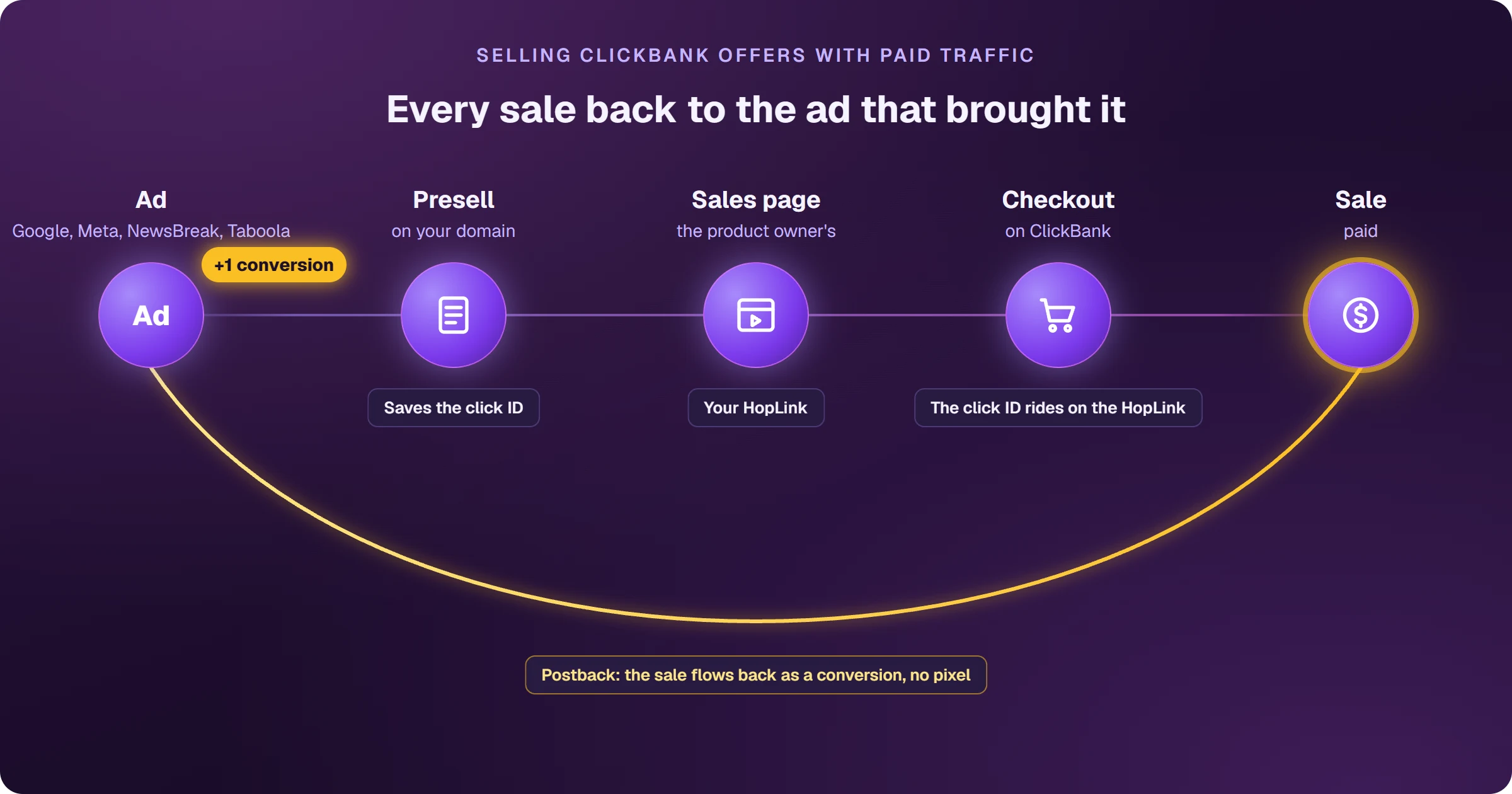
If you advertise straight to the HopLink, without a presell, the native integration is enough. With a presell, someone has to do the hand-off — your own script or a tracker. The full sales flow, from presell to postback, is in how to sell ClickBank on Google Ads.
How AdsTracking connects the ClickBank sale to the Google click
With AdsX, the hand-off happens on its own. The presell you create in AdsPages saves the click and carries its ID on the HopLink. You register the AdsX postback once in ClickBank, under Integrations → Postback/Pixels, and every sale and upsell comes back to AdsTracking tied to the ad that brought it. From there it goes to Google Ads as a conversion, and to Meta, NewsBreak and Taboola if you advertise on them too. Setup takes 5 steps and is on the ClickBank integration page.
AdsX was built to help advertisers create and manage campaigns in compliance with Google Ads policies. The platform does not support or allow any mechanism to bypass ad review systems.
A ClickBank postback is retried up to 3 times when the receiving server answers with an error (5xx), and Google Ads accepts an offline conversion for up to 90 days after the click — so a sale sent by postback isn't lost to a brief outage or a long buying decision.
Frequently asked questions
Does ClickBank's Integrated Sales Reporting still work?
Yes. ClickBank says ISR keeps working and that it will give advance notice before retiring it. Because it runs in the browser and can miss custom thank-you pages and upsells, new setups are better off with Postback/Pixels.
Can I use the native Google Ads integration and a postback together?
You can, as long as they don't send the same sale to the same conversion action — otherwise each sale is counted twice. Pick one source for each conversion action in Google Ads.
Why does Google Ads reject my ClickBank conversions?
Most often the gclid didn't arrive: auto-tagging is off, the presell didn't pass the ID to the HopLink, or the value was cut for being longer than the field. Google also ignores conversions sent more than 90 days after the click.
Does a ClickBank refund remove the conversion?
No. Refunds aren't sent through these notices, so the conversion stays in Google Ads. Track refunds in your ClickBank dashboard.
Read next
- How to sell ClickBank on Google Ads and see every sale
- How ClickBank works and how affiliates earn
- Google Ads offline conversion tracking for affiliates
- Types of presell pages for Google Ads
Sources
Information checked on October 27, 2026, on the official pages below.
- ClickBank — Postback/Pixels integration guide
- ClickBank — Tracking integration: Google Ads
- ClickBank — Affiliate tracking parameters
- Google Ads — Set up offline conversions using the GCLID
Want every ClickBank sale tied to the ad that brought it?
The presell carries the click, the postback brings the sale back, and Google Ads learns from every conversion.