
Google Ads offline conversion tracking for affiliates is the process of recording sales that happen outside the browser — such as WhatsApp orders, phone calls, or Cash on Delivery confirmations — and importing them back into Google Ads so the algorithm can optimize for real purchases. Without this data, Smart Bidding only sees clicks and lead form submissions, never the actual sales that generate commission.
Offline Conversion Tracking (OCT): a Google Ads feature that lets you import conversions that occurred outside your website — by phone, WhatsApp, manual form, or affiliate platform — and link them to the original click using the GCLID (Google Click Identifier).
Why do affiliates need offline conversion tracking?
Most affiliate platforms — ClickBank, Digistore24, MaxWeb, AdCombo — confirm a sale hours or even days after the initial click. When an affiliate promotes Cash on Delivery offers, the delivery confirmation can take even longer. Without offline conversion tracking, Google Ads only sees the click and the opt-in, never the completed sale. The result: Smart Bidding optimizes for cheap leads instead of profitable buyers, and your actual CPA is completely invisible to the algorithm.
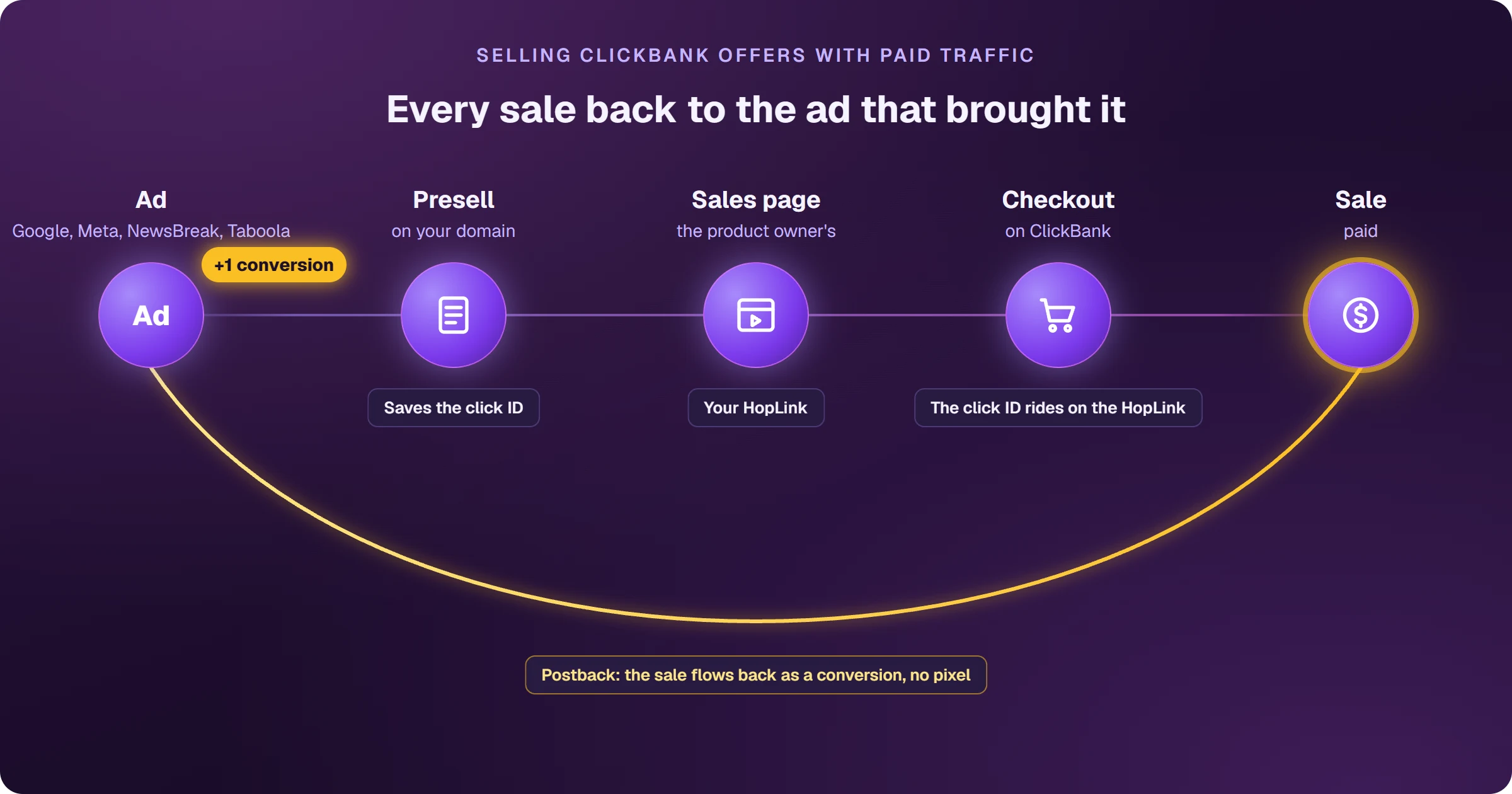
How does offline conversion tracking work in Google Ads?
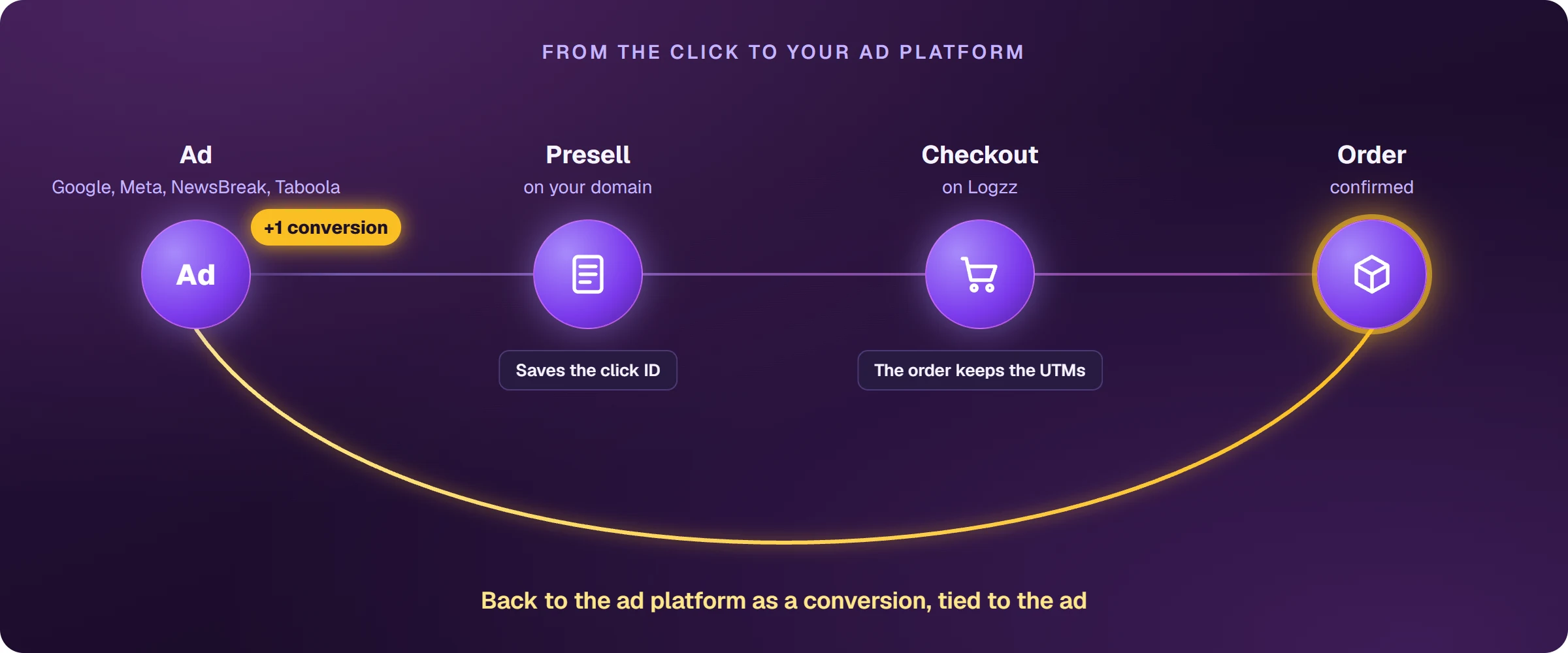
The workflow has three steps: capture the GCLID at the moment of the click, store that ID alongside the lead data, and import the (GCLID + conversion value) pair back to Google once the sale is confirmed.
- User clicks the ad — Google generates a unique GCLID appended to the URL
- Your landing page captures the GCLID and stores it with the lead record
- When the affiliate platform confirms the sale, the GCLID + sale value is collected
- Conversions reach Google Ads through a Data Manager connection (or the API) within 90 days of the original click
- Google attributes the sale to the correct click and feeds Smart Bidding with real purchase signals
Methods for importing offline conversions
There are three main ways to send offline data back to Google Ads:
Data Manager connection
Google Ads no longer accepts a conversions CSV uploaded from your computer: Goals → Conversions → Uploads now sends you to Data Manager, which only works with connections (HTTPS, SFTP, Google Sheets, Google Drive, BigQuery, databases, and CRMs). You keep confirmed conversions in one of those sources, with the GCLID, date, and value of each, create the connection, map the fields, and choose the destination conversion action. The work that remains is keeping that source up to date.
API import (Enhanced Conversions)
The Google Ads API allows you to send conversions programmatically via webhook or script. This is the most robust option for high-volume affiliates — any confirmed sale on the platform can trigger an automatic submission within minutes.
Affiliate platform integrations
Tools like AdsTracking connect directly to affiliate platforms (ClickBank, Digistore24, Hotmart, Monetizze, and 20+ others) and automatically relay confirmed conversions to Google Ads — no CSV or custom code required.
Common mistake: affiliates running CoD offers capture the lead but forget to save the GCLID in the opt-in form. Without the GCLID, there is no way to match the offline sale to the original click — the conversion simply cannot be imported. Always add a hidden field to capture the GCLID on every lead form.
How AdsTracking automates offline conversion tracking
AdsTracking is the tracking module inside AdsX. It automatically captures the GCLID on any presell or landing page built with AdsPages, stores the data for 90 days, and re-sends confirmed conversions to Google Ads as soon as the affiliate platform reports the sale. The entire process requires zero code: connect your affiliate platform once, and AdsTracking handles the rest. With accurate offline conversion data flowing into Google, Smart Bidding starts optimizing for actual buyers rather than leads — typically driving CPA down within the first few weeks.
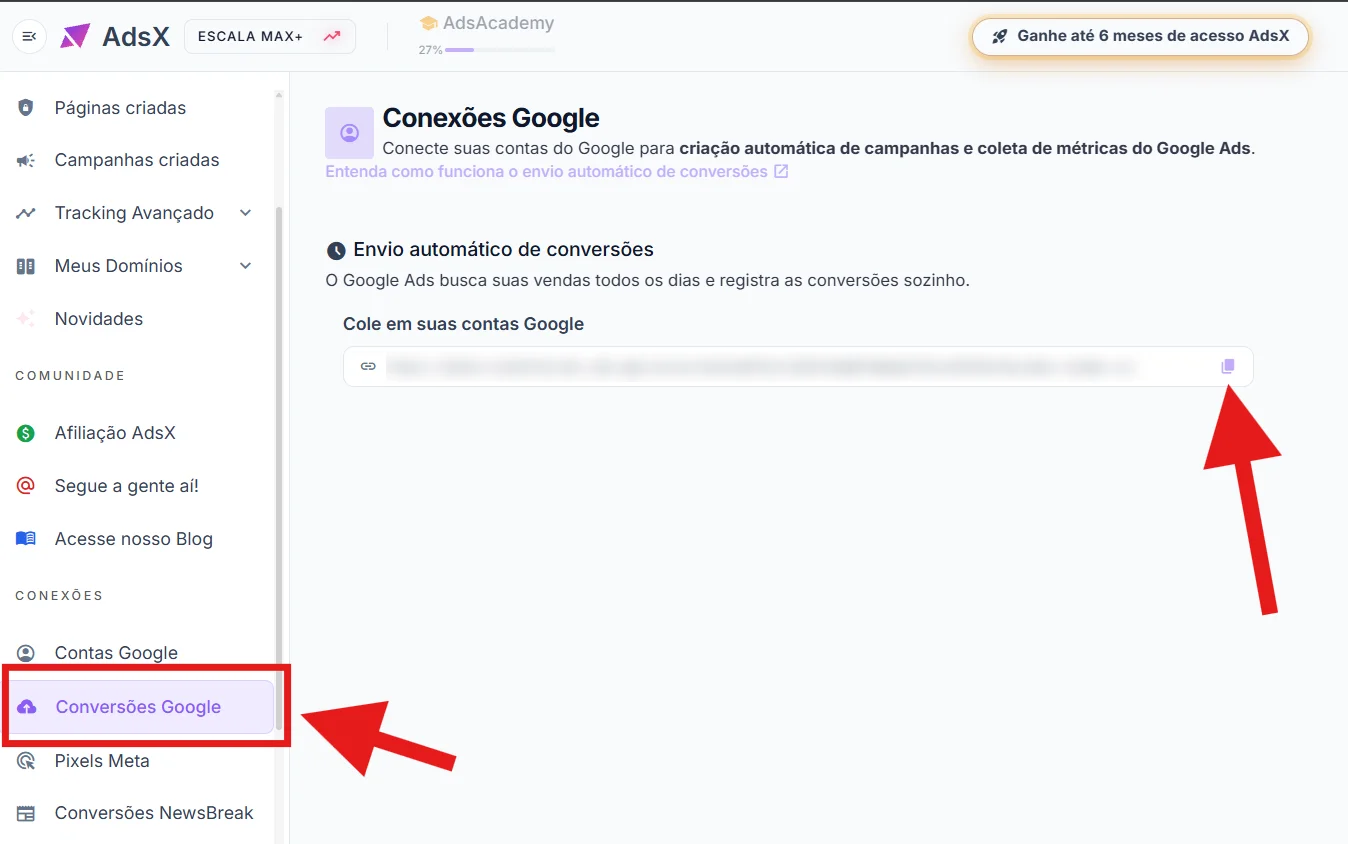
Affiliates who activate offline conversion tracking via AdsTracking and supply Smart Bidding with real purchase data report an average 35% reduction in CPA within 30 days, because the algorithm stops prioritizing cold leads and starts targeting the audience segments that actually convert to sales.
Frequently asked questions about offline conversion tracking
How long do I have to import an offline conversion?
Google accepts offline conversion imports for up to 90 days after the original click. After that window, the GCLID expires and the conversion can no longer be attributed to any ad or keyword.
Does offline conversion tracking work with Smart Bidding?
Yes. Imported offline conversions are treated the same as online conversions in Google's attribution model. Target CPA and Target ROAS strategies use this data to adjust bids in real time — provided you have sufficient volume (typically 30+ conversions per month per campaign).
Do I need a developer to set up offline conversion tracking?
It depends on the method. Creating a Data Manager connection requires no programming, but someone has to keep the conversion source up to date. API-based imports do require technical knowledge. Tools like AdsTracking eliminate this requirement: your conversions sit behind a ready-made link, and you create the connection once in Data Manager.
Does offline conversion tracking work for Cash on Delivery affiliates?
Yes, and it is especially valuable in that context. Because delivery confirmation can take several days, offline tracking lets you record the actual sale — not just the order — in Google Ads, giving the algorithm a much stronger quality signal than a standard lead event.
Conclusion
Google Ads offline conversion tracking closes the data loop between an ad click and a real sale — whether it happens on an affiliate platform, through a CoD order, or via any channel outside the standard pixel. For affiliates relying on Smart Bidding to scale profitably, this data is non-negotiable. With AdsTracking, the setup is fully automated: connect your platform, enable tracking, and let Google optimize with the signals that actually drive revenue.
Automatic offline conversion tracking for affiliates
Connect your affiliate platforms to Google Ads in minutes. AdsTracking sends offline conversions automatically — no CSV, no code.