
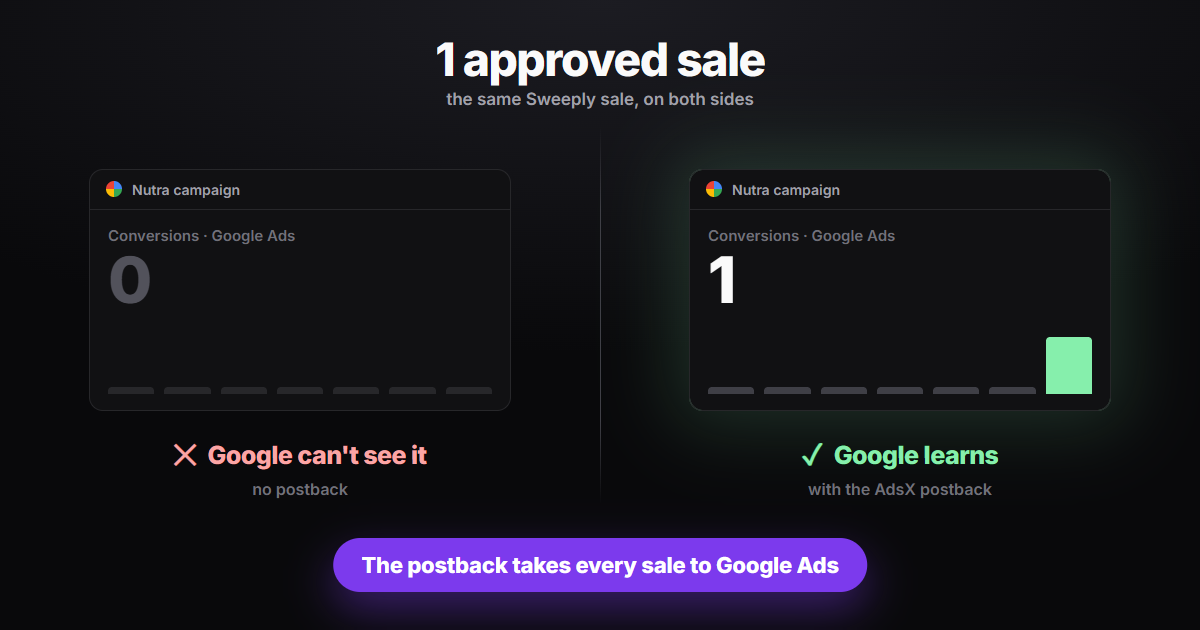
An approved Sweeply sale is recorded in the Sweeply dashboard, not in Google Ads. Without a postback connecting the two, the campaign that brought the buyer keeps reporting zero conversions, and bidding keeps optimizing blind. Since October 10, 2026, Sweeply is integrated with AdsTracking by AdsX: you add one global postback in your affiliate dashboard, and every approved sale shows up in My Sales, tied to the ad that drove it and ready for optimization in Google Ads.
The campaign that sells but looks like it doesn't
If you run nutra offers on Google Ads, you know the picture: Sweeply shows an approved commission, while Google Ads shows an expensive campaign with no results. Looking only at Google, the obvious move would be to pause the very ad that is selling. Smart bidding strategies such as Maximize conversions and Target CPA rely on recorded conversions to know who to go after. Without them, bidding never learns, and your cost per sale climbs for no visible reason.
A postback is a notice an affiliate network sends to another system the moment a conversion changes status. Sweeply runs on Scaleo, and its postback tells AdsX about each approved sale, along with the click ID (GCLID) that came from the ad. That ID is what ties the sale to the right Google Ads campaign.
What Sweeply is
Sweeply is a CPA network with straight-sale nutra offers. You pick an offer, promote it with your own link and get paid per approved sale. If you don't have an account yet, the Sweeply affiliate sign-up is free and takes a few minutes.
How do you track Sweeply sales in Google Ads?
It takes a few steps, done once per Sweeply account:
- In AdsX, open Advanced Tracking → Activate Platforms and, on the Sweeply card, click Copy postback.
- In the Sweeply dashboard, go to Tools → Global Postbacks → Add Global Postback.
- Set Triggered for = Approved, Goal Type = All, Method = Postback (Recommended), paste the AdsX postback into the Postback field and click Save.
- Go back to AdsX and click Activate on the Sweeply card. Sweeply now shows up as an option when you create a presell.
The step-by-step guide with screenshots is in the help center at help.adsxapp.com, in the article "How to set up the Sweeply postback in AdsX".
Keep Triggered for on Approved, never on All. With All, Sweeply also reports conversions that may still be rejected, and Google Ads would learn from sales that might never turn into a commission.
Why you don't fill in any sub ID
When you create a Sweeply presell in AdsPages, the presell itself passes the click data to Sweeply: the GCLID goes in sub_id2 and the ad ID in sub_id1. When the sale is approved, the postback sends both values back to AdsX, which recognizes the source ad and records the conversion. You don't build any parameter by hand, and a mistyped sub ID can't split the sale from its click.
One global postback covers every offer you promote on Sweeply. Setup is four fields, done once per account, and Sweeply joins the 20+ networks that already send sales to AdsTracking.
What changes day to day
Every approved sale shows up in Advanced Tracking → My Sales, with the ad, the campaign and the amount. From there it joins the automatic conversion upload to Google Ads, the same path every other AdsTracking network uses. You stop matching two dashboards by hand to find out which ad sold, and smart bidding starts optimizing on real sales.
Frequently Asked Questions
Do I need a postback for each Sweeply offer?
No. The global postback applies to every offer in your account. Only create a per-offer postback if you deliberately want to keep one separate.
Does the sale show up right away?
It shows up when Sweeply approves the conversion, because the postback is set to fire on Approved only. Sales still pending in Sweeply arrive after approval.
Which AdsX plans include the Sweeply integration?
Sweeply is part of AdsTracking, included in the plans with sales tracking. The Activate Platforms screen only appears for accounts with AdsTracking enabled.
The sale didn't show up. What should I check?
Check that the postback is listed under Global Postbacks with Triggered for set to Approved, that the pasted link matches the one copied in AdsX with no trailing space, that you clicked Activate on the Sweeply card, and that the presell is for a Sweeply product.
Approved sales Google Ads can actually see
The gap between a campaign that seems not to sell and one that learns is a postback set up once. With Sweeply integrated with AdsTracking, every approved sale goes back to the ad that drove it, and your budget decisions rest on what actually sold.
Send every Sweeply sale back to Google Ads
Sales tracking across 20+ networks, with every conversion tied to the ad that drove it.